To allow Hoyes, Michalos to review your CRA tax information, please authorize Hoyes, Michalos as your representative. Here’s how:
Log in to your CRA account
(If you don’t have access to your CRA account, please register for one, easily, for free; full details here)
Click the Profile tab (in the left navigation menu)
Find Authorized Representative(s) and click +Add

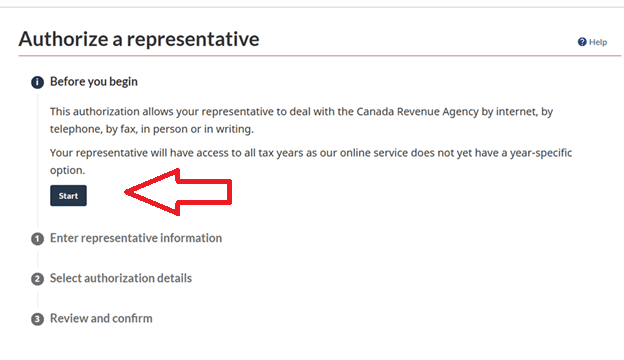
Then click Start
On the Authorize a Representative page, go to the Group ID field and enter GMQ27Z then hit Search
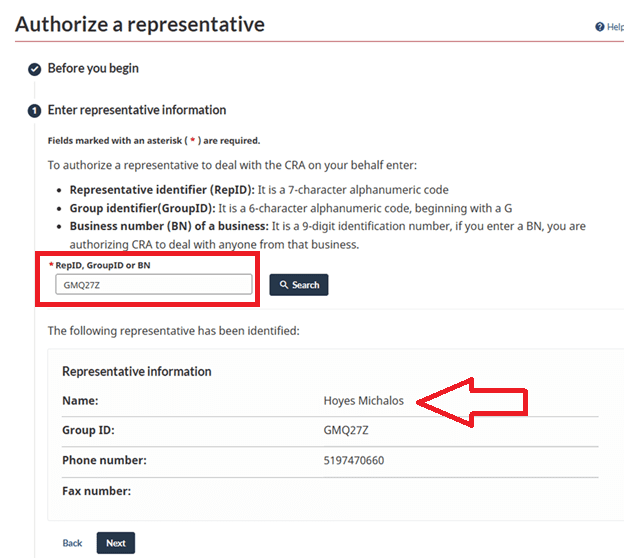
Hoyes Michalos will show; click Next,
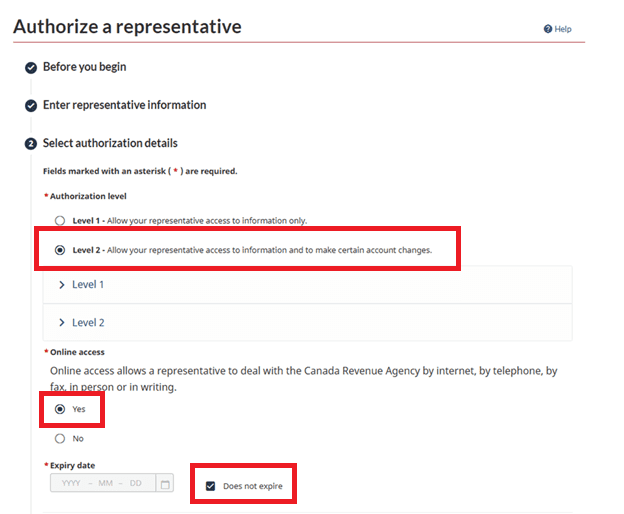
- Enter Level 2
- Enter Yes to Online Access
- Enter Does not expire (once your file is fully completed and all tax returns for the year of filing are filed and assessed, you can remove the Hoyes Michalos access)
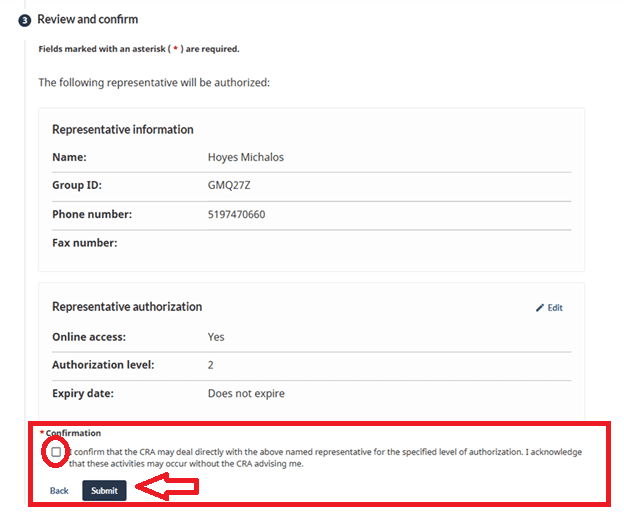
Click the confirmation button and submit: